Features
Everything that happens to a tool, recorded once.
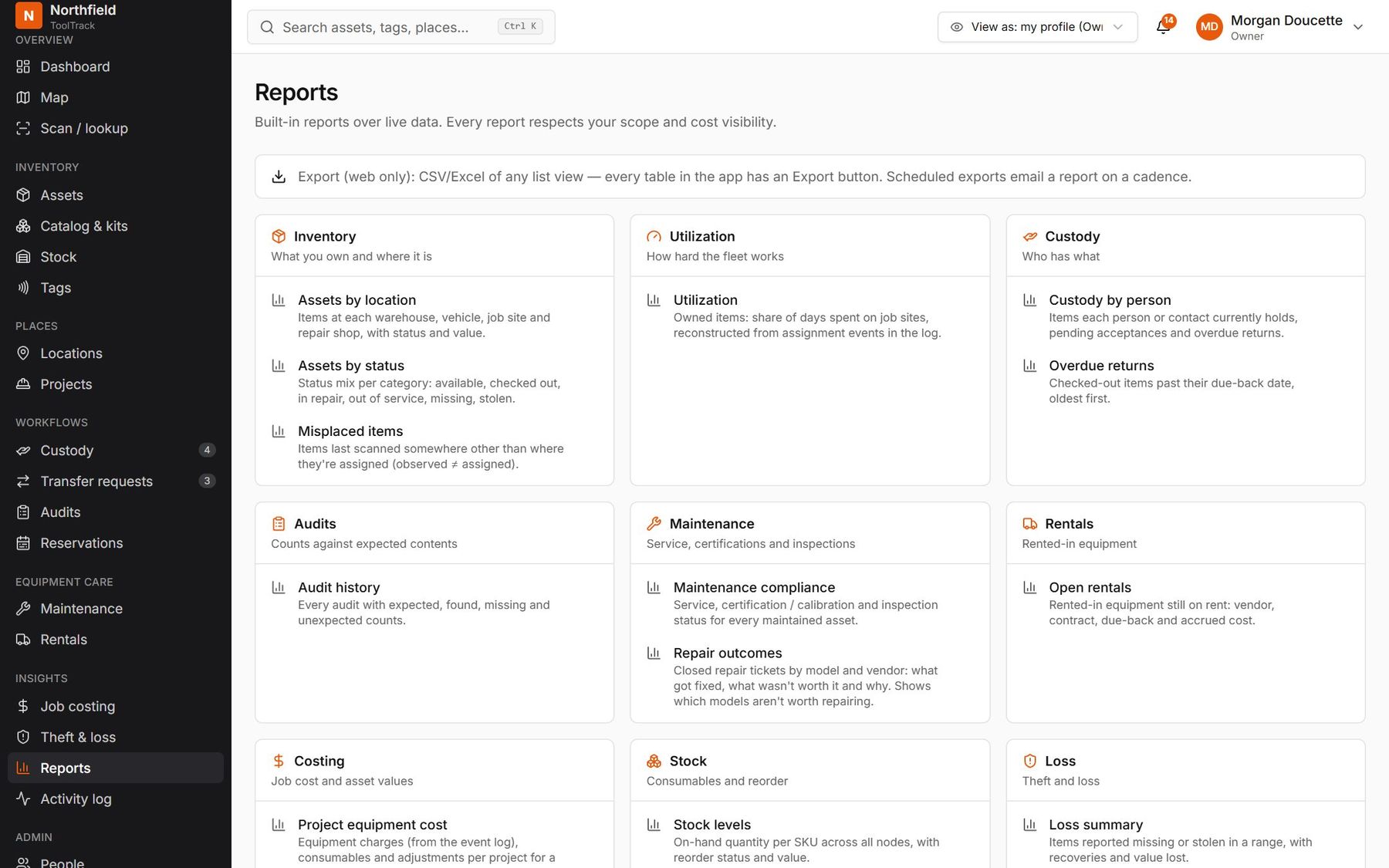
Every scan, move and repair is written to one history. The map, the job-cost report and the audit all read from it, so they always agree.
Tracking
Where it should be, and where it was last seen.
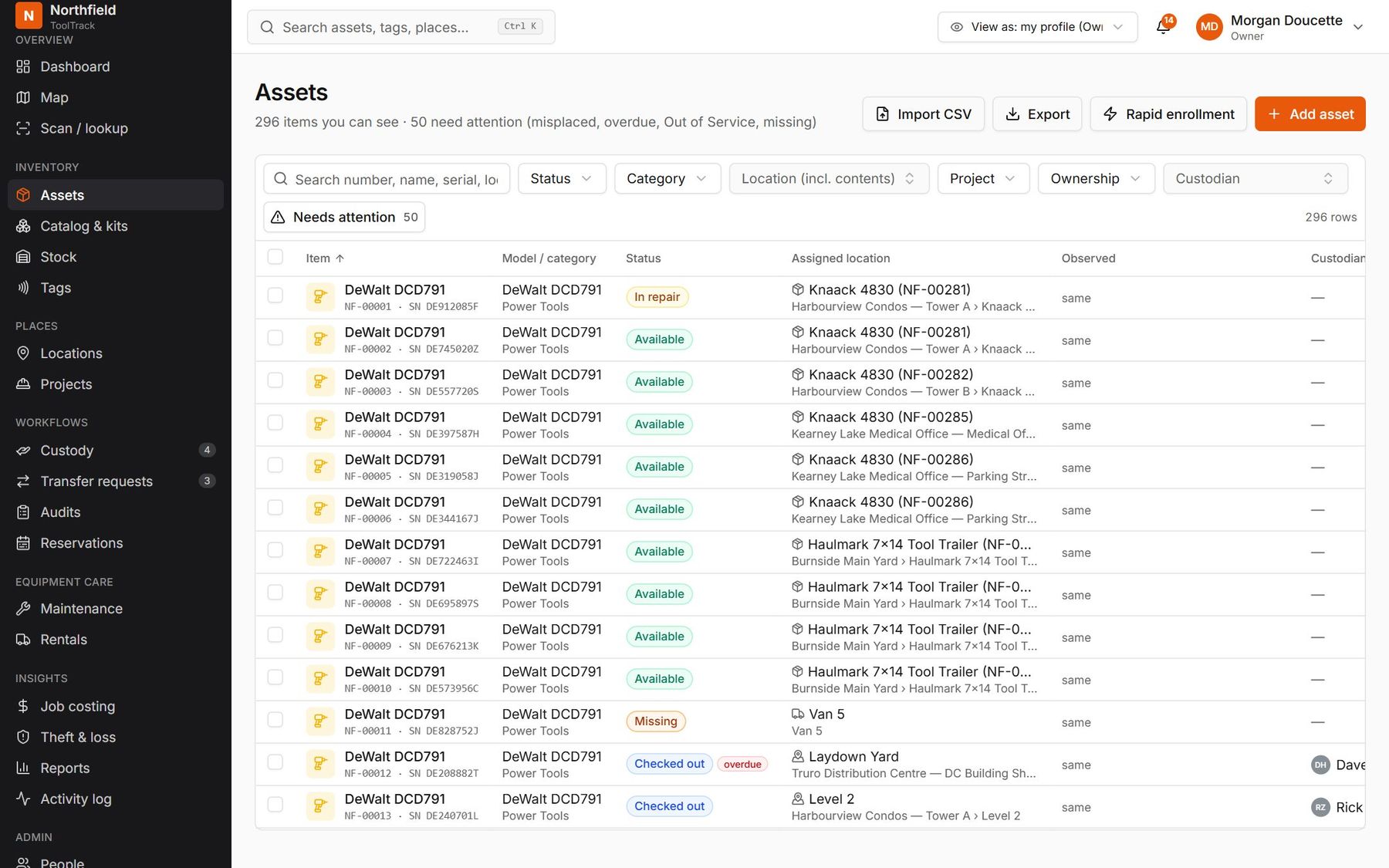
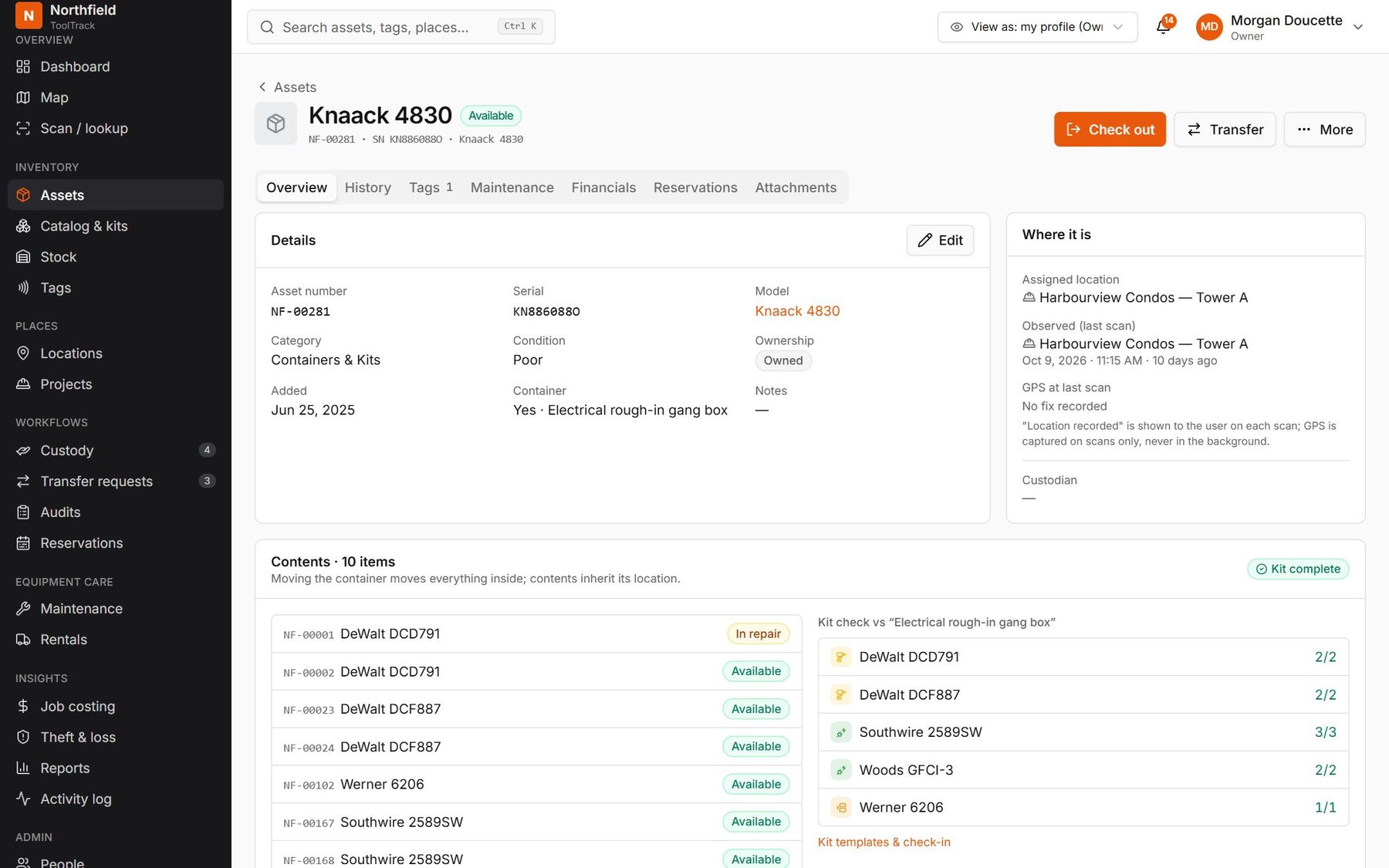
ToolTrack keeps two facts apart: the assigned location and the last place someone scanned it. When they don't match, you see it.
- Warehouses, trucks, gang boxes, job sites and projects, nested as deep as you need
- Kits and containers move as one: scan the gang box, move everything in it
- Tool, model and catalog records with photos, serials and asset numbers like NF-00045
- Import your existing list from CSV with a dry run first
Custody
Someone is always accountable.
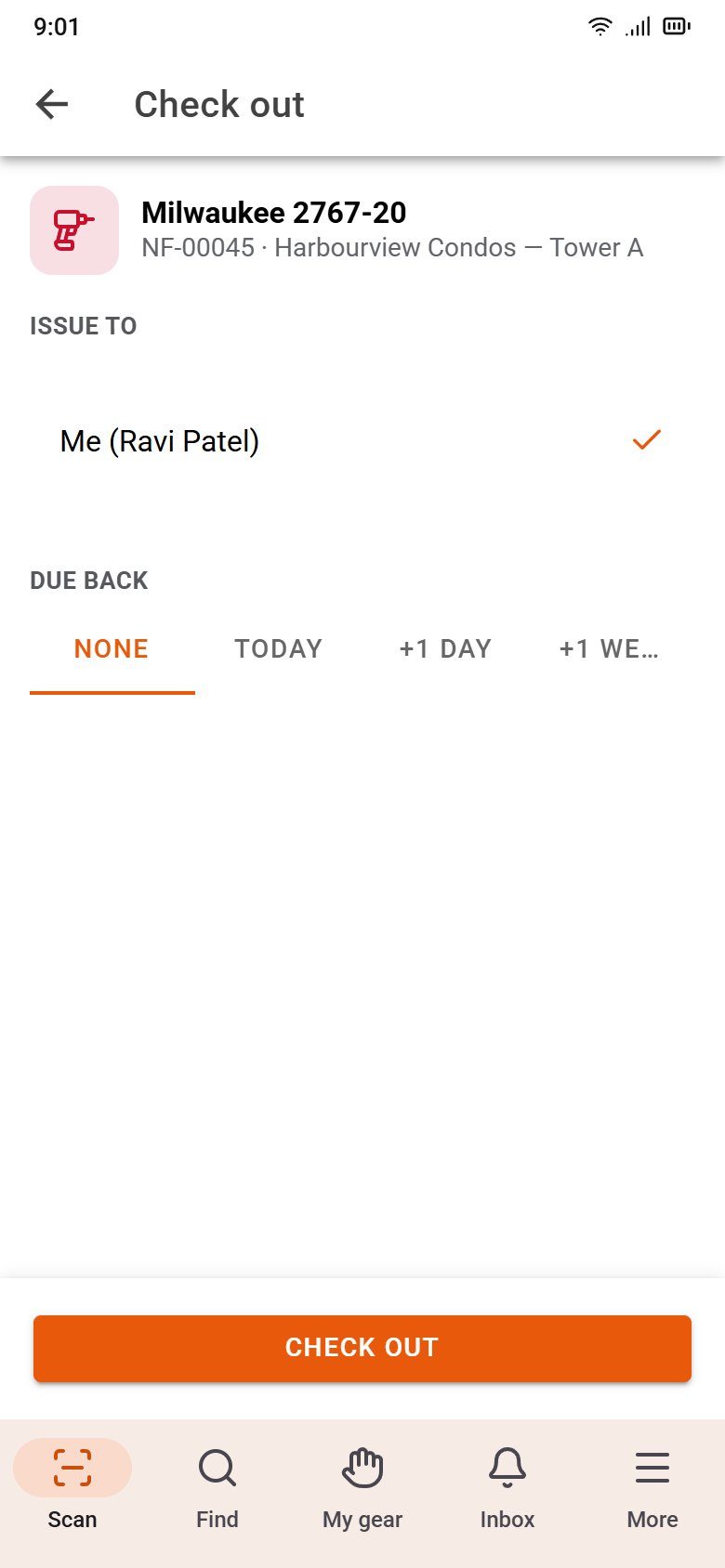
Check a tool out to a person, a crew or a site in one tap. Hand-offs between people wait for the other person to accept, so nobody ends up holding gear they never saw.
- Due-back dates with overdue reminders
- Transfer requests when a tool turns up at the wrong site, approved by that site's manager
- Bulk moves: load 300 items on a truck and pick the destination once
- Contractors can sign for gear without seeing your costs or other projects
Audits
Stocktake a yard with no signal.
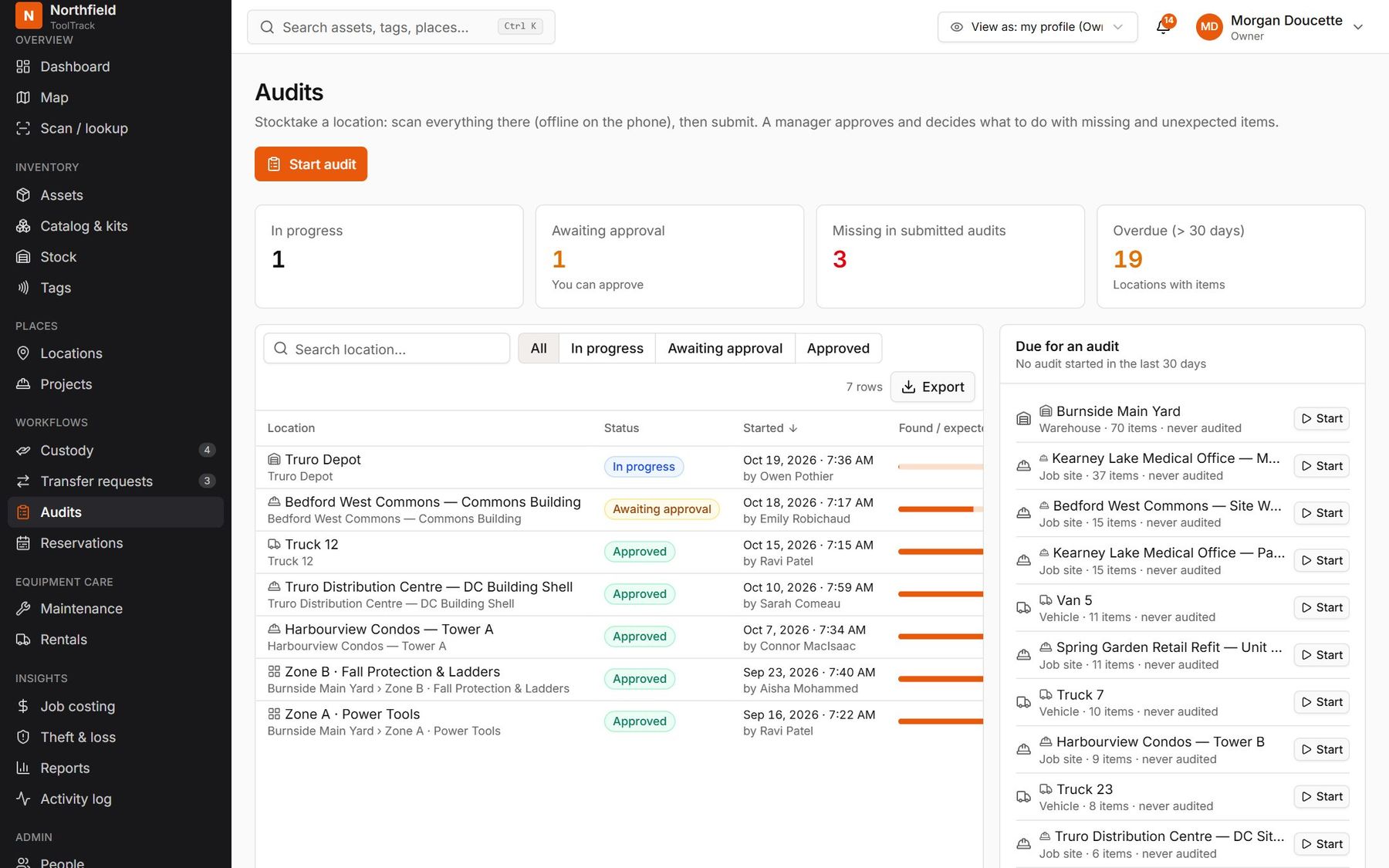
Start an audit for a location and tap everything on the shelf. ToolTrack sorts the result into found, missing and unexpected, and a manager decides what to do with each.
- Up to 5,000 items in one session, fully offline
- Overdue-audit reminders per location
- Missing items go straight to the loss workflow
Maintenance and compliance
Unsafe tools can't leave the crib.
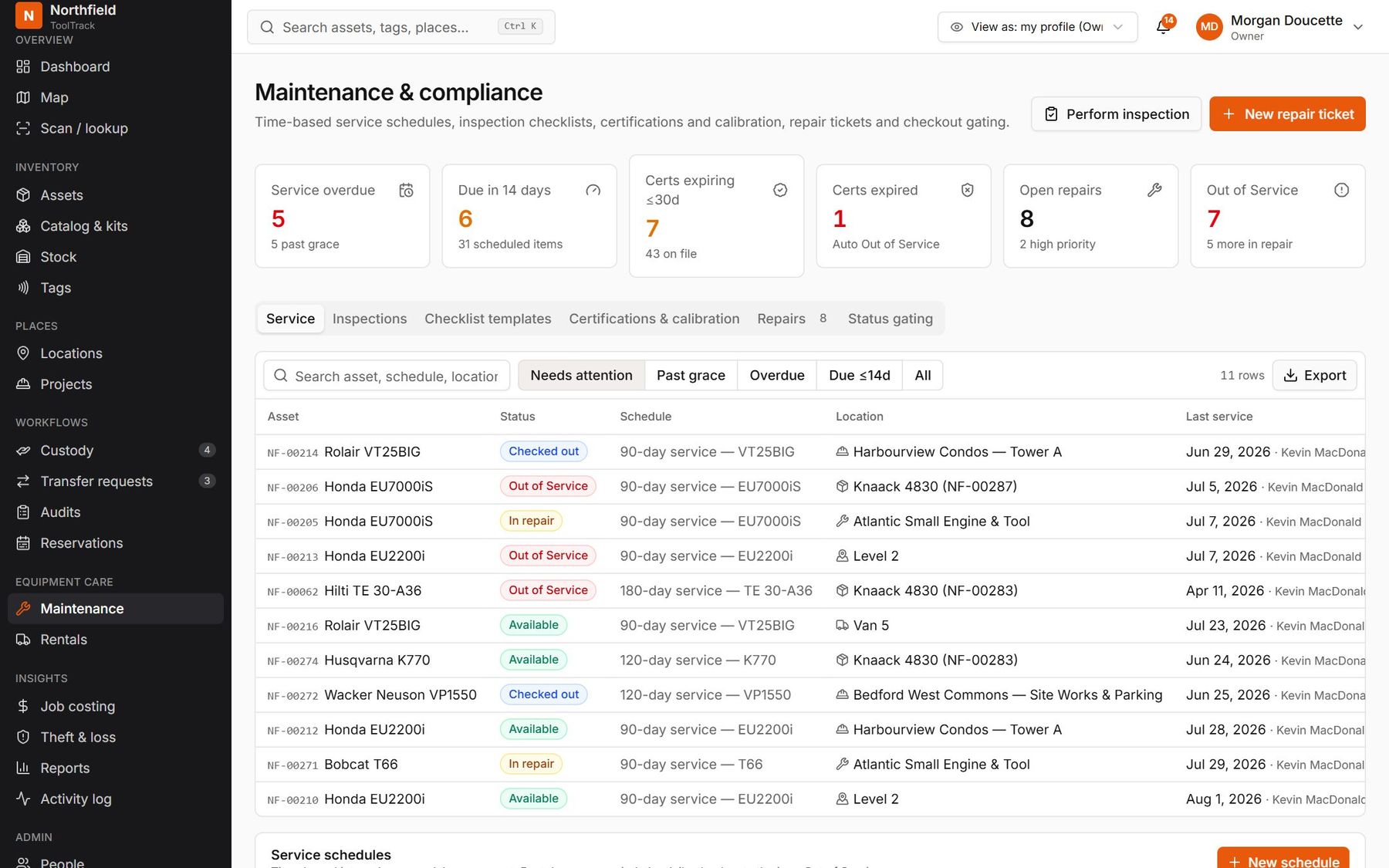
Service schedules, inspection checklists, certifications and calibration live with the tool. Fail an inspection or let a certificate lapse and the tool goes Out of service until it's fixed.
- Inspections on the phone: pass or fail per item, photos, signature
- Ready-made checklists for ladders, harnesses, cords, powder-actuated tools and rigging
- Repair tickets for your own shop or a vendor, with parts, cost and warranty
- A manager can override a block, with a reason that stays on record
Job costing
Equipment charges that write themselves.
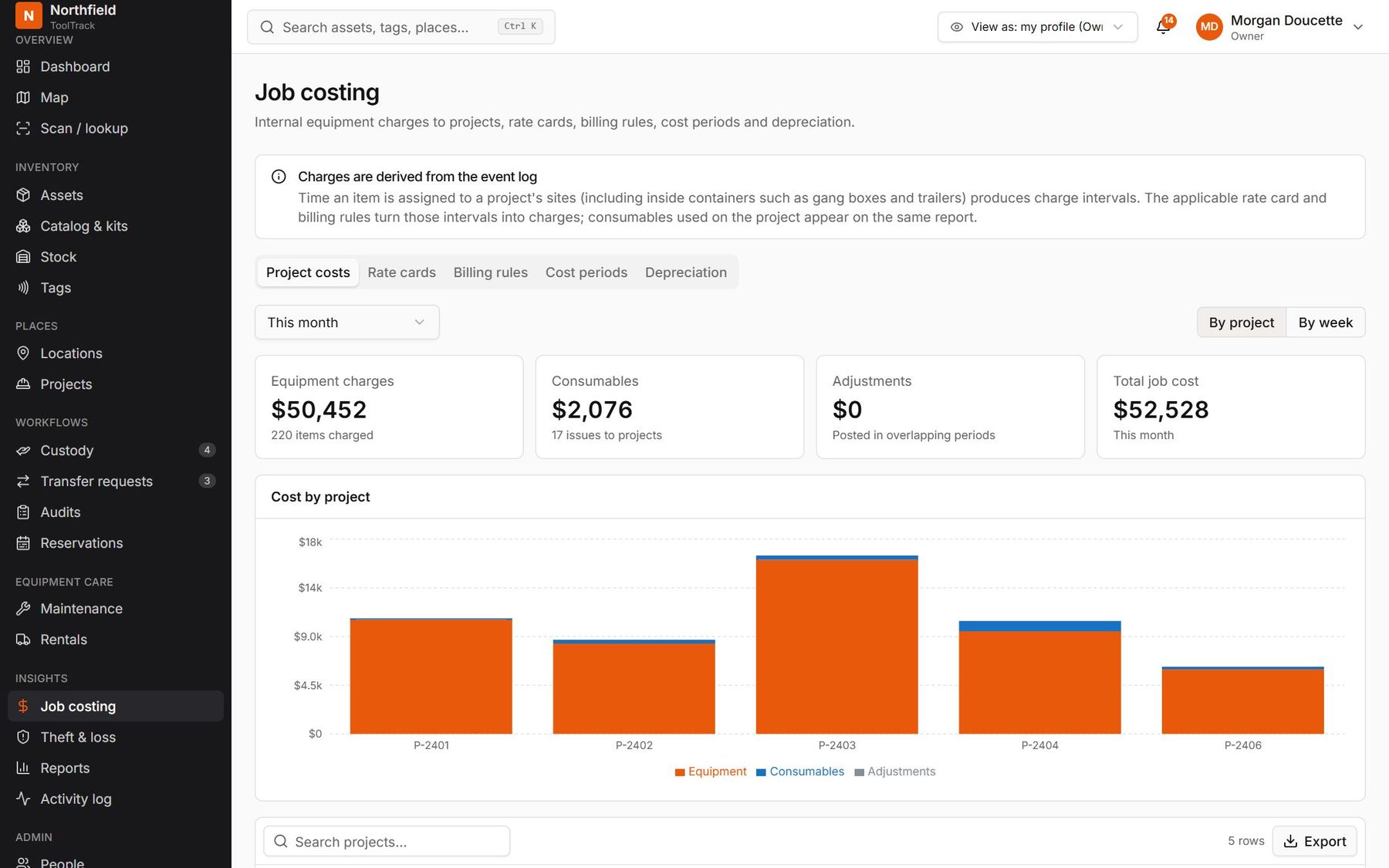
Time a tool spends on a project's sites becomes a charge, using your rate cards and billing rules. Consumables used on the job land on the same report.
- Daily, weekly and monthly rates by category, model or tool, with project overrides
- Weekly caps, minimum charges and weekend rules
- Lock a cost period; later corrections post as adjustments
- Depreciation, warranty and replacement cost for every owned tool
Rentals and reservations
Stop paying for rentals nobody is using.
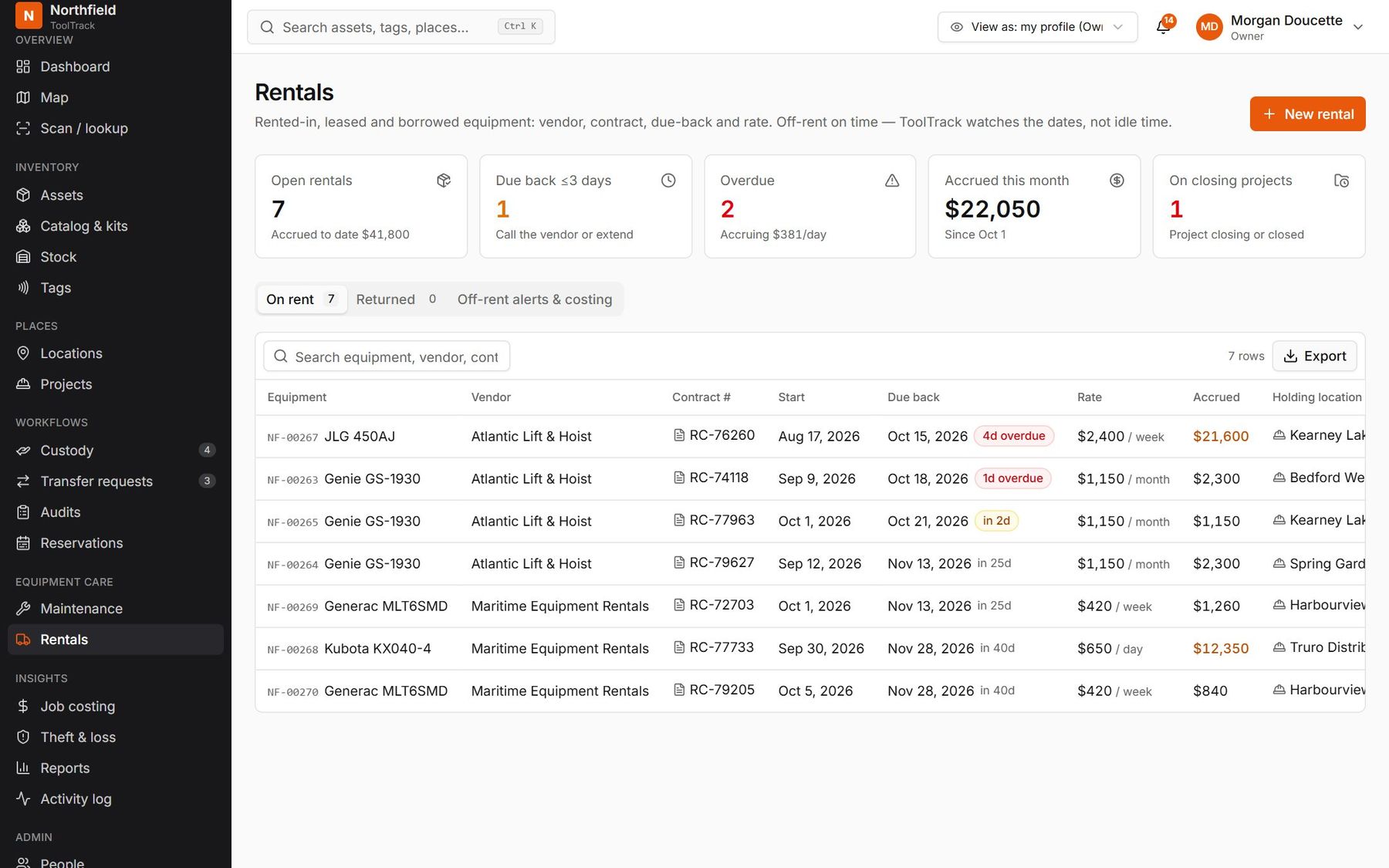
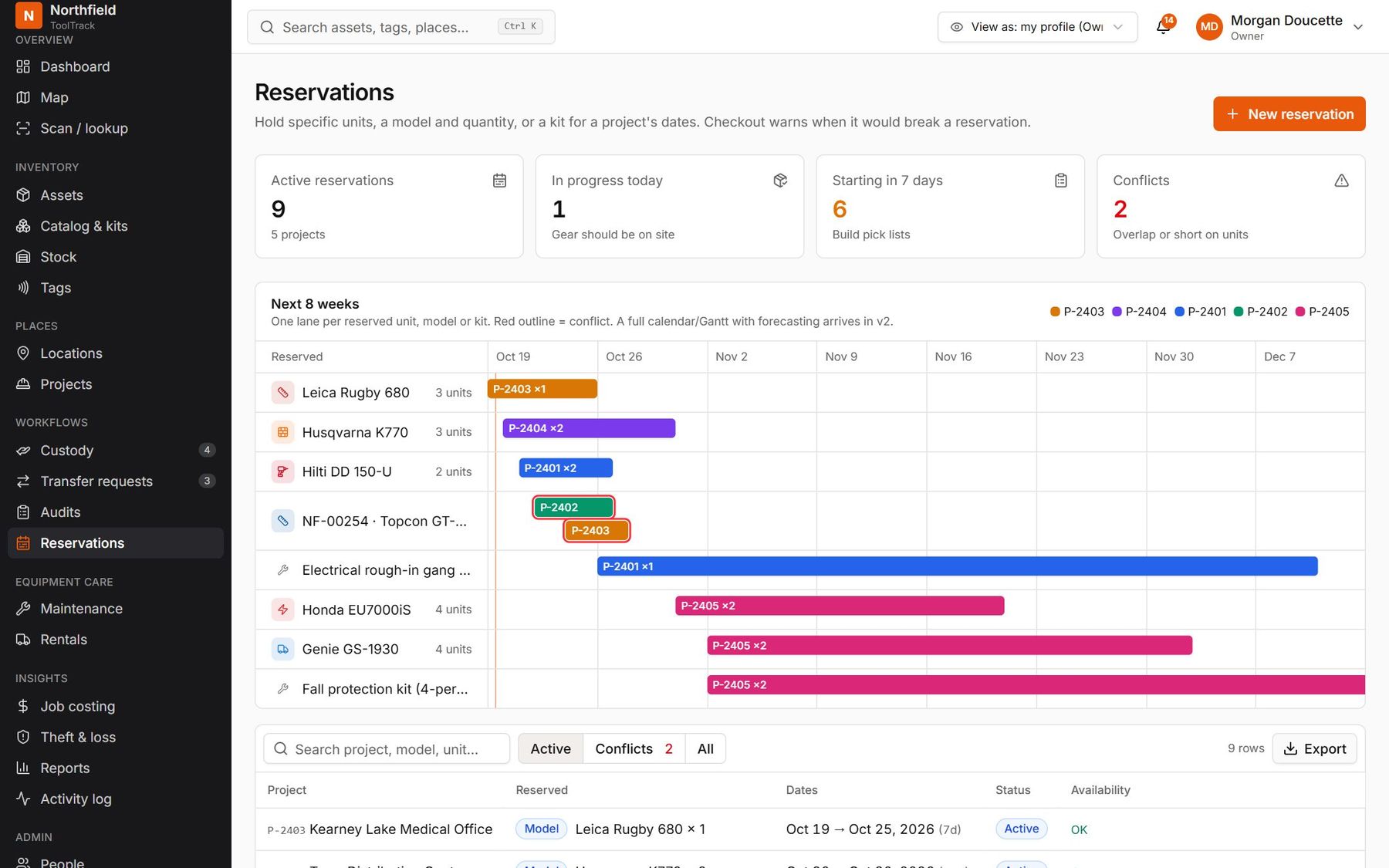
Track rented-in equipment next to your own, with due-back alerts before the extra charges start. Reserve tools for upcoming jobs and see conflicts before checkout.
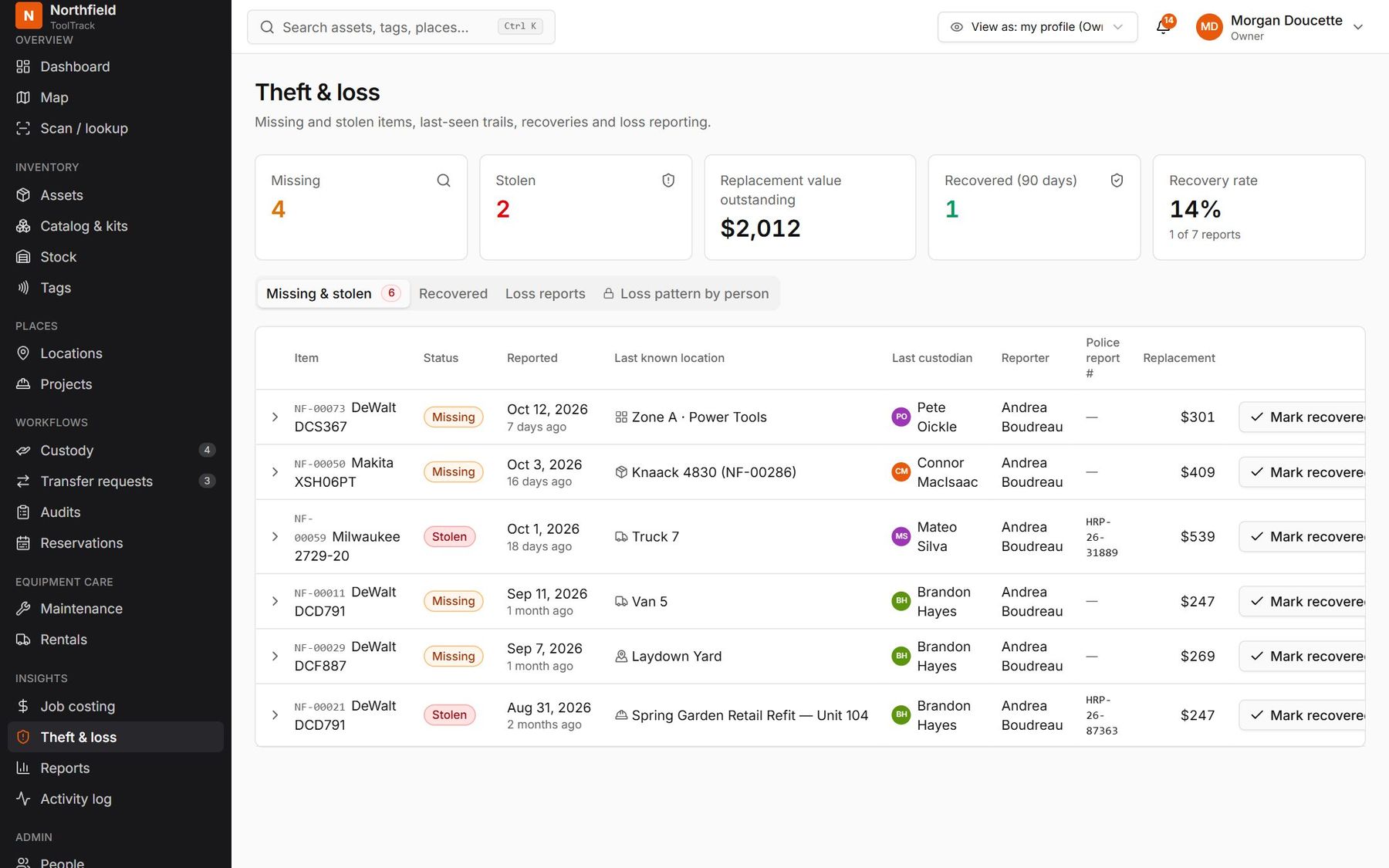
Theft and loss
When it goes missing, you know where to start.
Mark a tool Missing or Stolen and ToolTrack shows its last-seen trail: recent scans, the last person who had it and the box it was in. The moment anyone scans it again, you get a recovery alert with where it was found.
- Loss reports by project, site, vehicle, person or contractor
- Police report number and replacement cost on record
- Pattern reports are for review only, never automatic action
Alerts and reports
The right person hears about it.
Overdue returns, failed inspections, expiring certificates, rentals due back and tools scanned outside their site. Route each alert by role or site to push, email, SMS or a daily digest. Safety alerts can't be muted.
People and access
Everyone sees what their job needs.
Profiles and scopes
Owner, project manager, yard manager, tool crib clerk, shop mechanic, field worker, contractor, or your own. Each one limited to the sites and projects it covers.
Contractors included
Contractor crews sign for and return gear on their own phones. They never see costs, rates or other projects.
Your company, your look
Your logo and colour in the web app, emails, labels and the phone app, at your own web address.
Modules you switch on
Don't do rentals? Turn the module off and it disappears from every screen, report and alert.
Single sign-on
Sign in with Google, Microsoft, a passkey or email. Enterprise plans connect your own identity provider.
A full audit log
Every change records who made it, when, and whether it came from a scan, the web, the API or an AI assistant.
See it with tools from your yard.
We'll set up a demo company with your locations and a sample of your equipment.